ABCiSoft
StepLight
StepLight app icon

StepLight

One small milestone at a time.

Lose weight 0.2 lbs (100 g) at a time. Every new low is celebrated; daily ups and downs are ignored.
Download on theApp Store Coming 4 December 2026
On your phone
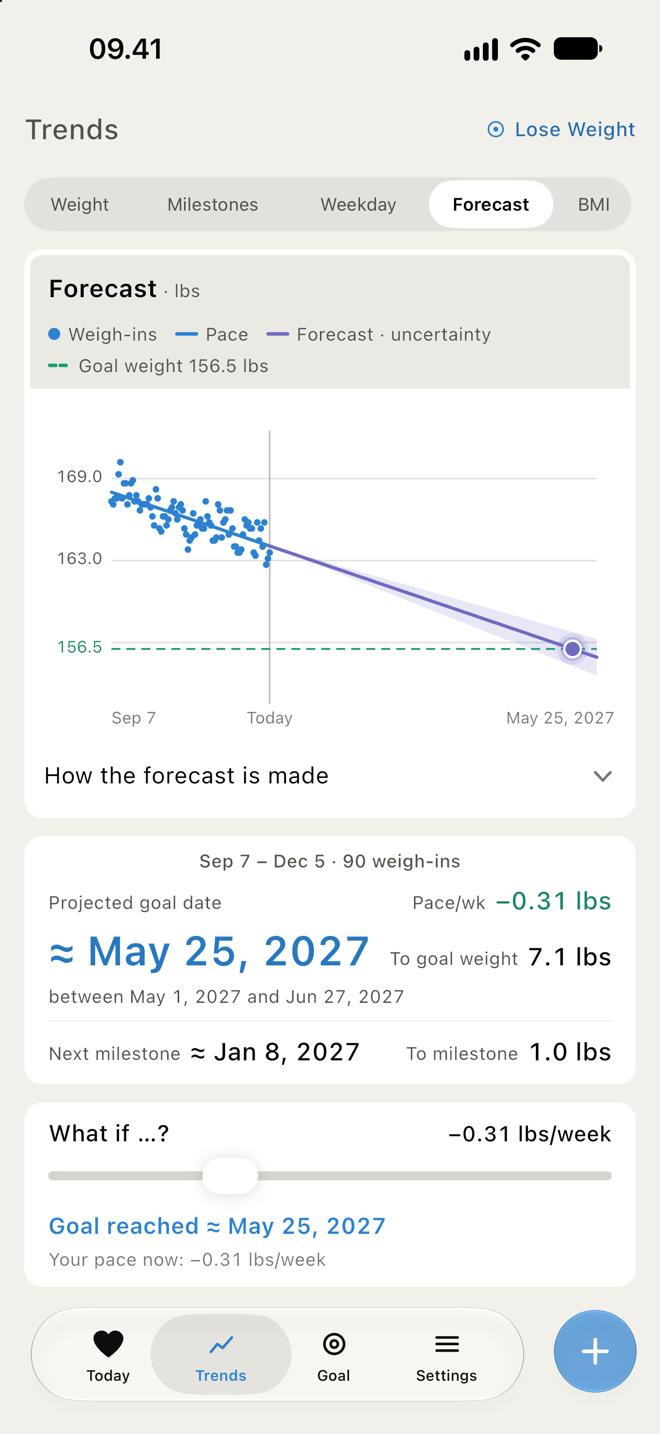
Forecast chart with projected goal date
See when you'll reach your goal
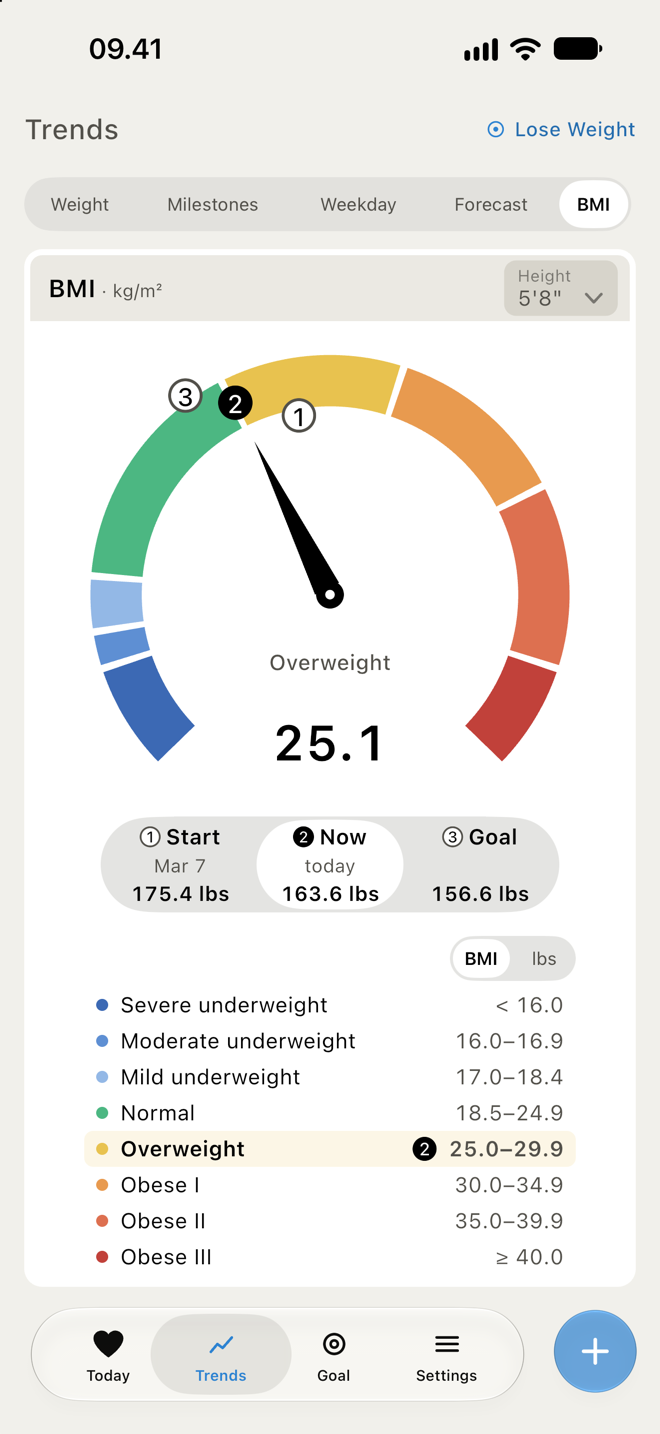
BMI gauge with start, now and goal badges
Your BMI: start, now and goal
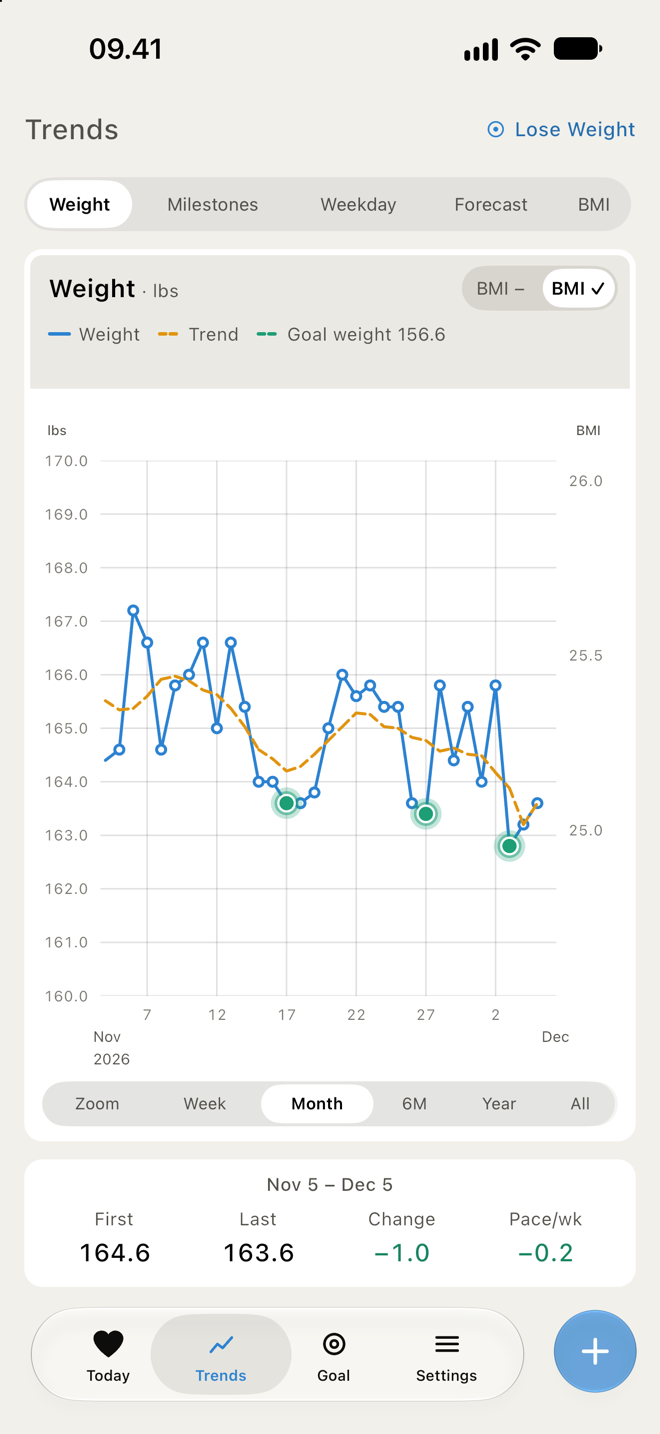
Weight chart with trend line and milestones
Weight, trend and milestones in one chart
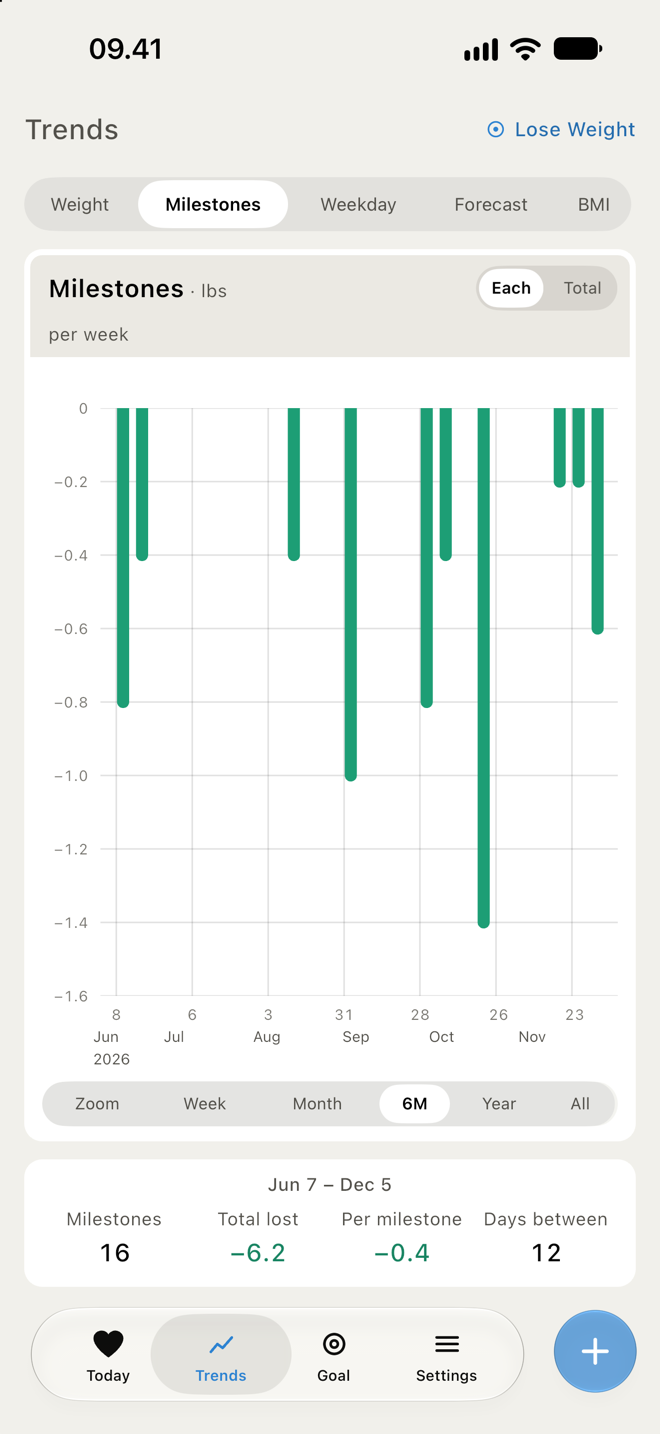
Milestones chart over six months
Milestones, and how fast they come
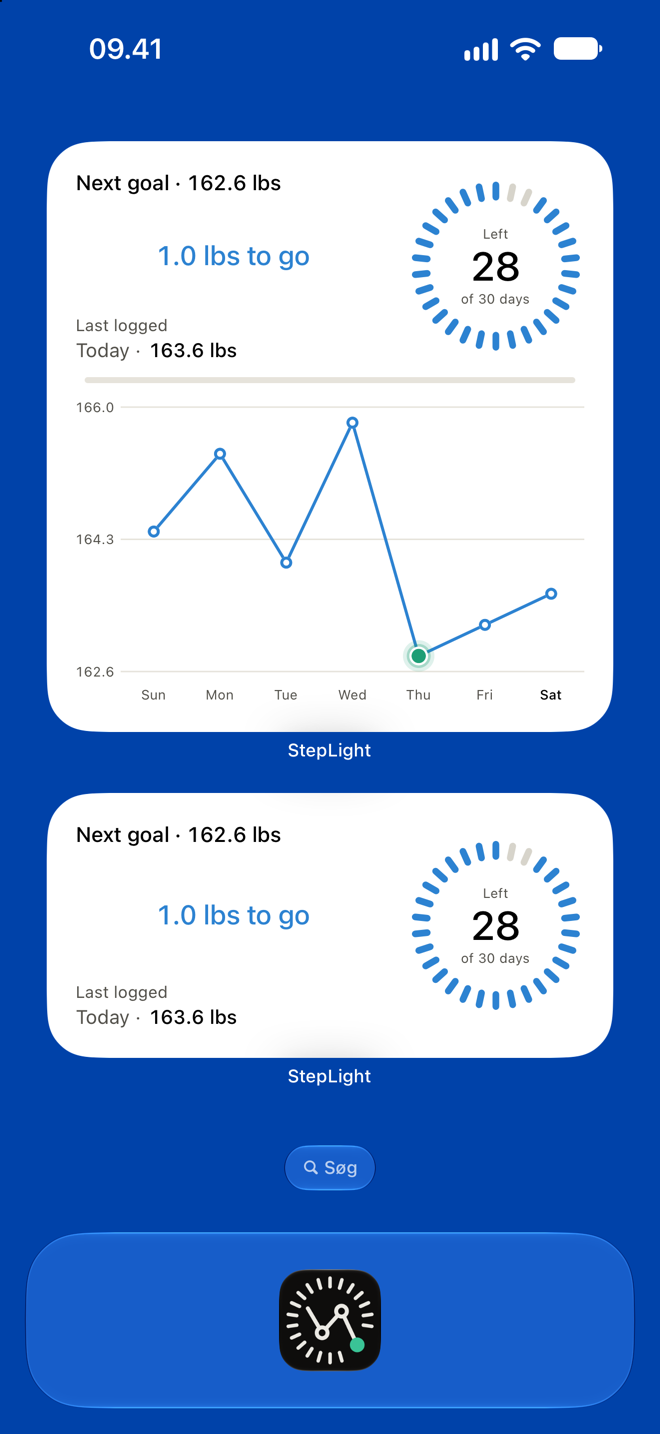
iPhone Home Screen with StepLight widgets
Your next goal, right on your Home Screen

Also on iPad and iPhone Duo

Wide screens get layouts of their own, not a stretched phone.

iPad

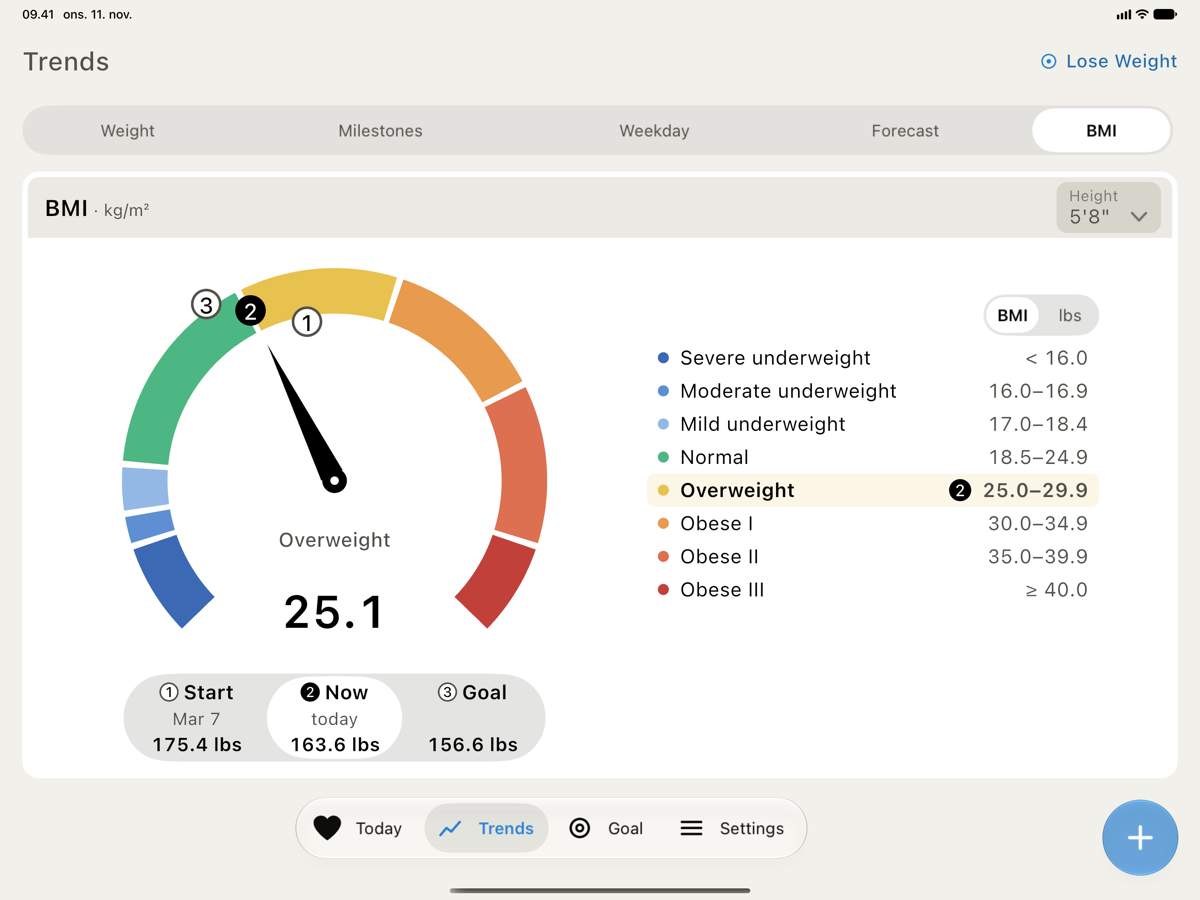
In landscape, Today and BMI use the width: the chart beside the tables, the gauge beside its scale.
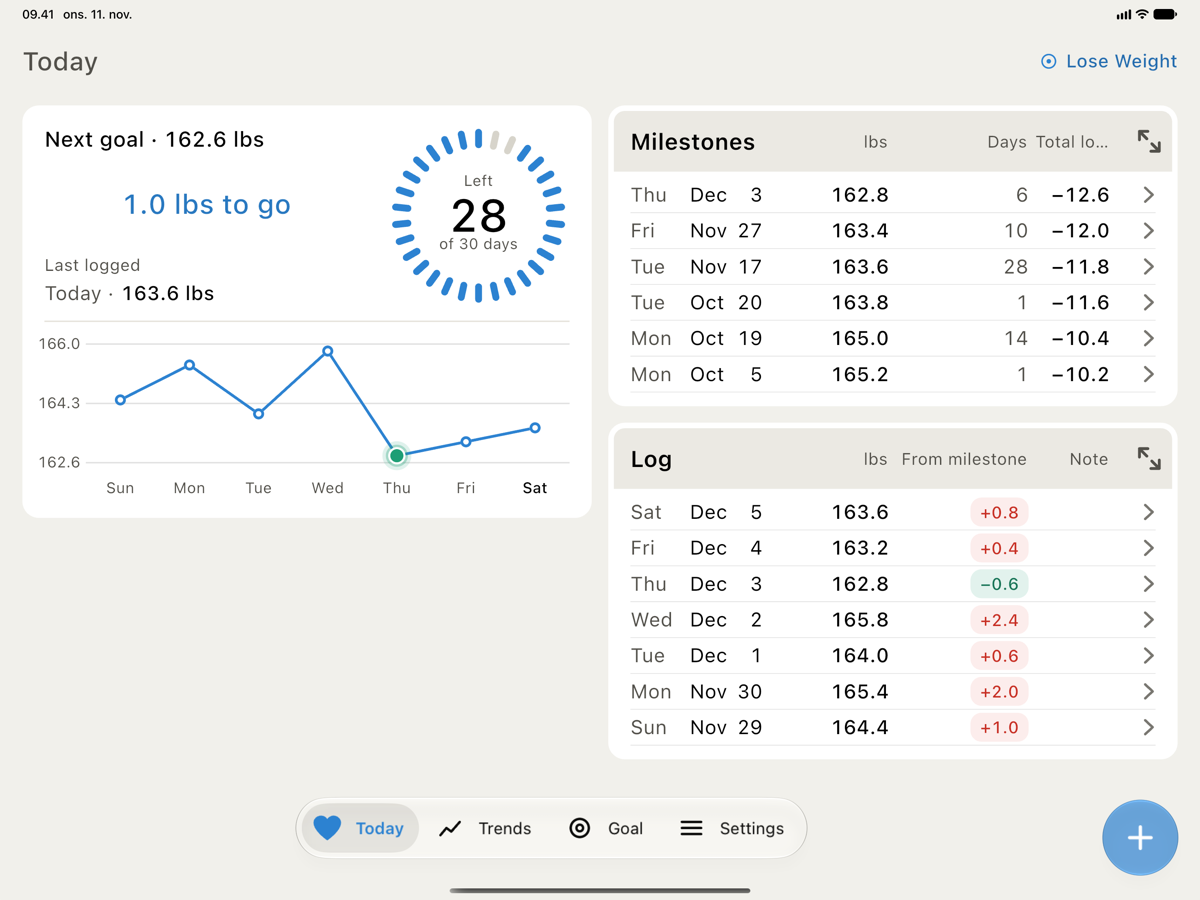
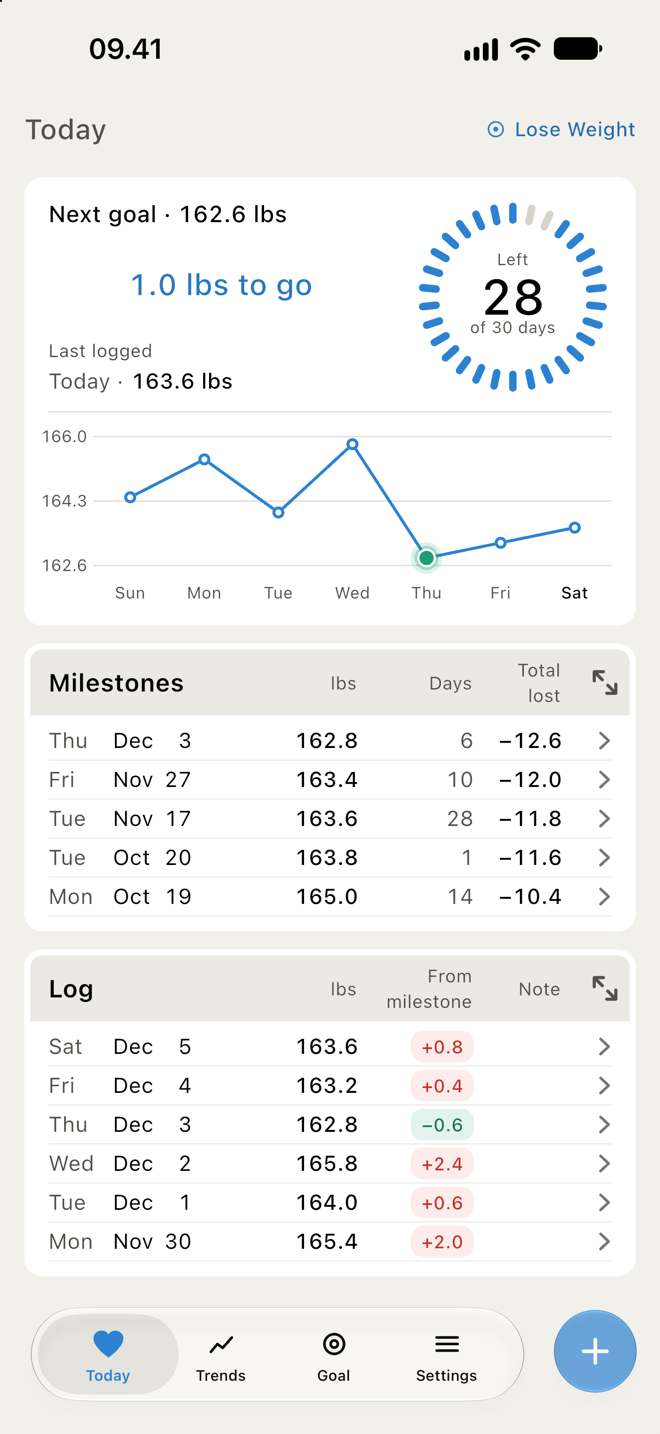
StepLight Today on iPad in landscape: goal and chart on the left, milestones and log on the right
Today with milestones and log side by side
StepLight BMI on iPad in landscape: the gauge beside the category list
The BMI gauge beside its scale

iPhone Duo

Unfolded, the inner screen turns to landscape and gets the wide layouts too.
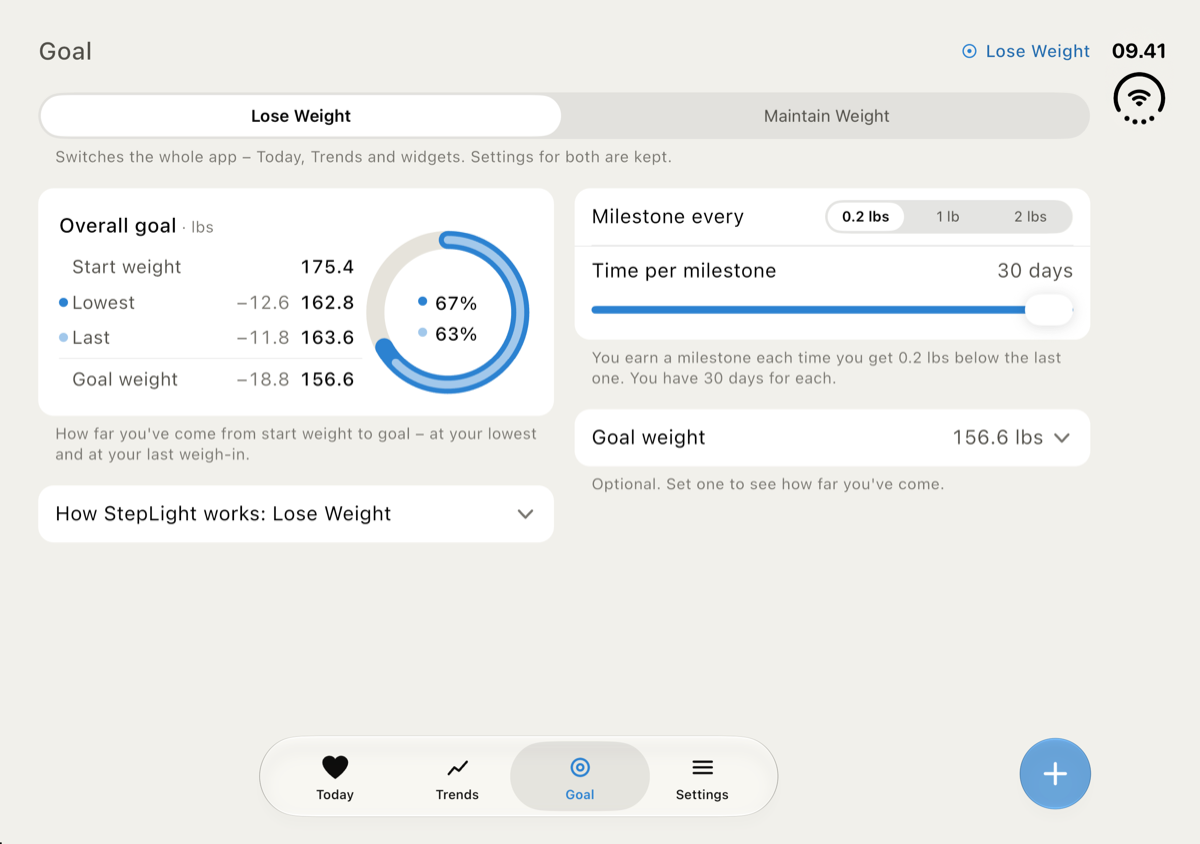
StepLight Goal on an unfolded iPhone Duo in landscape
Goal: milestone and overall goal side by side
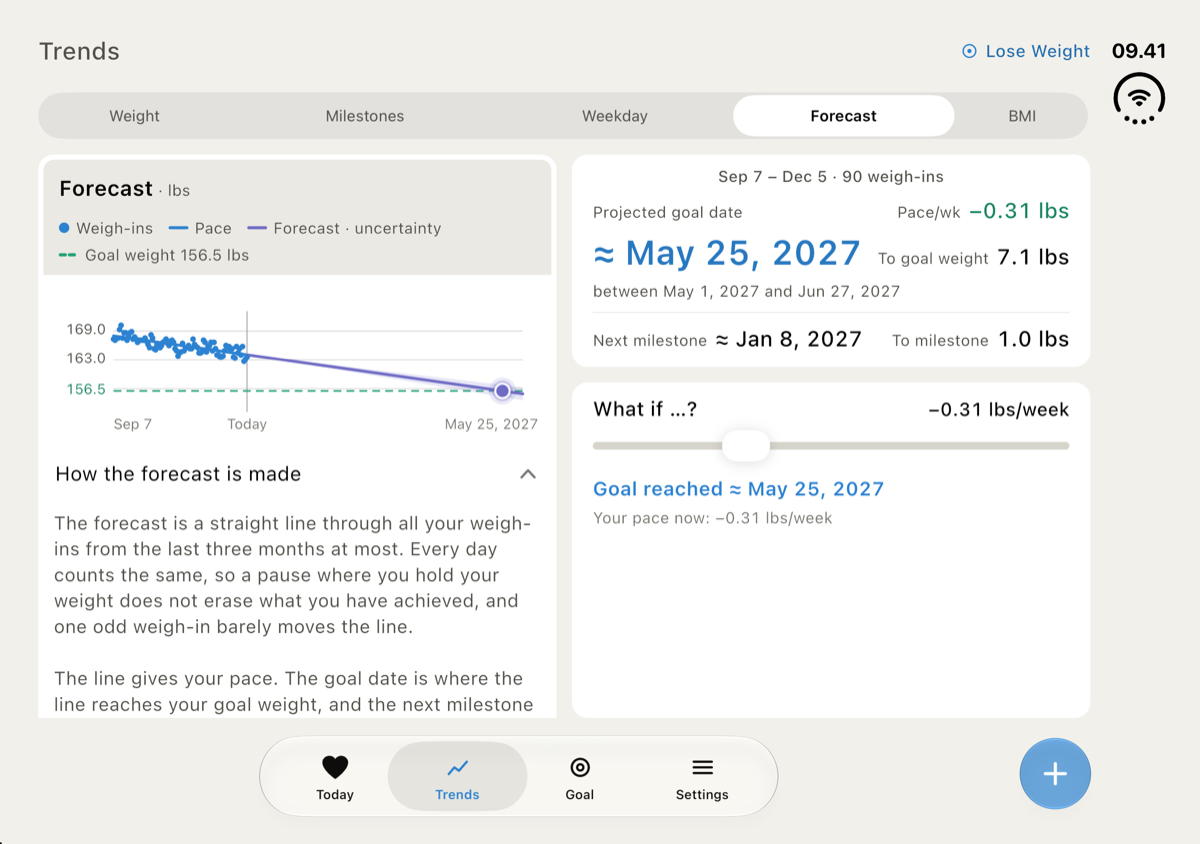
StepLight Forecast on an unfolded iPhone Duo in landscape
Forecast with room for the whole curve

Two ways to use it

Lose weight in small milestones, or keep it off under a limit. Switch whenever you like.

Lose Weight

Set a small milestone, say 0.2 lbs or 100 g. Set an overall goal if you like; a second ring shows day by day how far you are from it.

Maintain Weight

Set a maximum weight and a recovery window. Go over the line, and the app calmly shows how many days you have to get back under.

Your data is yours

Privacy policy

StepLight Premium

Everything basic is free, with no limits. Premium adds:

Premium comes as a monthly or yearly subscription with a free trial, or as a one-time purchase for life. Prices are shown in the App Store, where subscriptions are managed, cancelled and refunded.

Support

Questions, problems or ideas? Write to support@abcisoft.com. The app's About page has a "Contact support" row that fills in the version and device for you. Purchases and subscriptions are managed, cancelled and refunded in the App Store.